Passwords Are Out, Passkeys Are In: The Easy Account-Security Upgrade for Midlife Women
Less stress, fewer hacks, and a safer digital life — without the tech drama.
Alright my friend, let’s talk about the thing we all secretly hate:
Passwords.
Too short, too reused, too easy to forget… and apparently, we’re meant to remember 184 of them while also remembering birthdays, prescriptions, school pick-up times (even when the kids are grown), and where we put our glasses.
No thanks.
Here’s the good news: the online world is finally moving toward options that are:
easier
faster
harder for scammers to steal
And the name of that upgrade is: passkeys.
First: what’s a passkey (in plain English)?
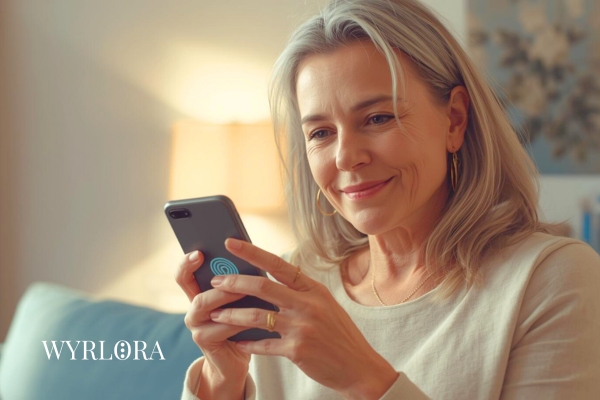
A passkey is a newer way to log in that doesn’t rely on you typing a password.
Instead, it uses something you already do:
Face ID / fingerprint
device unlock
secure key stored on your device
Cyber security agencies describe passkeys as a global effort to replace passwords and traditional second factors with something simpler and more secure.
Translation: fewer passwords to remember, and much harder for phishing links to steal.
Why passwords keep failing us (even when we try)
Most account takeovers happen because of:
reused passwords
weak passwords
phishing (tricking you into handing them over)
That’s why modern guidance is increasingly about longer passwords/passphrases, MFA, and reducing the chance of typed secrets being stolen.
Your Midlife Account Security Trio (choose calm over chaos)
1) Passphrases (better than “complex” passwords)
A passphrase is 4 or more random words. Easy for you. Hard for them.
If you’re still using short passwords for important accounts, consider upgrading the length. NIST’s digital identity guidance even recommends minimum lengths (and allowing long passwords) and discourages fussy composition rules that backfire.
Midlife-friendly tip:
Make it memorable without making it personal. Avoid names, birthdays, pets, and suburbs.
2) Password managers (because your brain deserves better)
Password managers create and store strong unique passwords, so you don’t have to juggle them.
Australia’s cyber guidance notes that if you have multiple accounts, a password manager can help manage them — so you only remember one strong master password.
The UK’s NCSC also promotes password managers as a way to avoid the “password1” trap.
Midlife fear: “What if the password manager gets hacked?”
A fair question. But for most people, the bigger real-world risk is reused passwords and phishing. A reputable password manager + strong master passphrase + MFA is often a meaningful step up from sticky notes and repeats.
3) MFA (your lock + deadbolt combo)
MFA is that extra step after your password — code, prompt, fingerprint, etc.
Cyber guidance repeatedly calls MFA a core protection.
Midlife-friendly priority order:
Email (because it controls password resets)
Banking
Social media
Shopping accounts (saved cards)
Now, the star of the show: Passkeys (how to start without stress)
Step 1: Start with one account you use often
Pick something you log into regularly (email provider, a major service, etc.). Many platforms now offer passkeys.
Step 2: Turn on passkeys inside the account security settings
Look for wording like:
“Passkeys”
“Passwordless”
“Sign in with device”
Step 3: Test it immediately
Log out and back in once while you’re calm and at home — not while you’re out shopping with one bar of reception.
“But what if I lose my phone?”
This is the question every sensible midlife woman asks — and I love you for it.
Here’s your calm plan:
Make sure your phone has a strong device unlock (PIN/biometric)
Keep your recovery options updated (backup email/phone number)
Consider a second trusted device where possible (tablet/laptop) for recovery
Don’t ignore backup prompts — they’re there for a reason
Also: keep your software updated and use MFA — the basics still matter.
The scam angle: why passkeys can protect you from phishing
Phishing works when:
you click a link
you type your password
you hand over a code
Passkeys reduce the damage because there’s no password to type into a fake site in the first place — and the login is tied to your device in a more secure way.
Is anything perfect? No.
But for everyday women who want less stress and better protection, passkeys are a genuinely promising direction.
Your “This Week” Upgrade Plan (simple, doable, powerful)
If you do nothing else, do this:
Turn on MFA for your email
Change your email password to a passphrase (4+ random words)
Add a password manager if you’re ready
Set up one passkey and test it
That’s it. That’s the plan. No tech Olympics required.
A gentle word for the woman who feels “behind”
If you’re reading this thinking, “I should’ve done this ages ago…” — stop right there.
The online world changed fast.
You’ve been busy.
And you’re here now.
That’s what matters.
If faith is part of your world, you might like this thought: many women find comfort in the idea that wisdom can be learned and strengthened — step by step, not perfectly.
Wrap-up and your next step...
Your next best step is simple:
MFA for your email
then explore passkeys one account at a time
And if you want more of this calm, capable midlife support, keep reading around WYRLORA — we’re building a life where you feel confident, safe, and free.
Until we chat again,
Blessing & hugs to you my dear friend,
Dianne xx